Running an MVC App in AWS Lambda with Embedded Resources
How I packaged static files, Razor views and assets inside a Lambda function without a separate S3 bucket

In my previous post, I described moving an application to Lambda and putting its Angular frontend in S3 behind API Gateway. That separation made sense for the main application, but it was more infrastructure than I wanted for a much smaller service.
For this service, I wanted the complete MVC application - views, static files and API endpoints - in one Lambda function. No S3 bucket and no separate static deployment.
I will call the service Gateway. It is a façade between legacy and serverless systems, and some names have been changed.
The Use Case
Gateway routes messages between legacy H-Latitude systems and the serverless Meridian platform from my previous post. It needed:
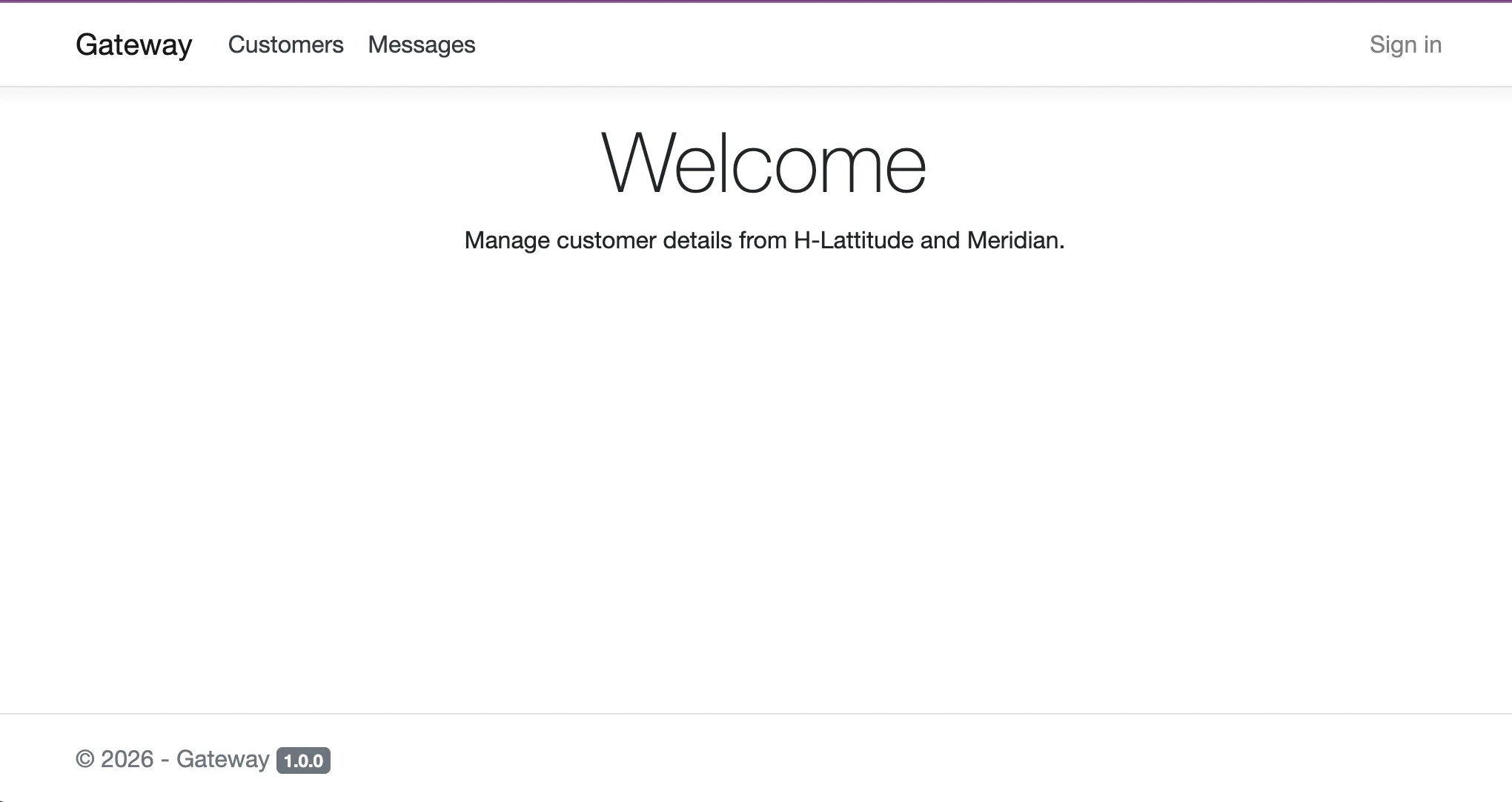
- A simple welcome/status page (MVC with Razor views)
- Static assets (CSS, images)
- API endpoints for message routing
- Everything in a single deployable unit
For a gateway with a small UI, another S3 bucket and API Gateway proxy felt unnecessary. We wanted one Lambda function serving both the API and the UI.
The Embedded Resources Pattern
I embedded the static files and views directly into the .NET assembly. At runtime, the application reads them from the DLL rather than from the file system.
Project Structure
The project is organised like this:
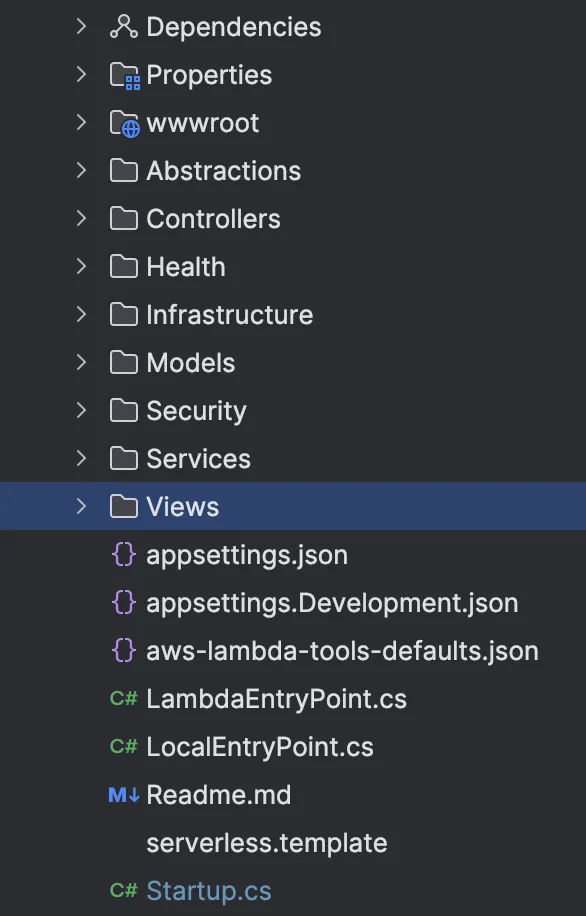
Gateway.Api/
├── Controllers/
│   └── GatewayController.cs
├── Views/
│   ├── Home/
│   │   └── Index.cshtml
│   └── Shared/
│       └── _Layout.cshtml
├── wwwroot/
│   ├── css/
│   │   └── site.css
│   └── images/
│       └── logo.png
├── LambdaEntryPoint.cs
└── Gateway.Api.csproj
Serving the Embedded Files
The relevant part is in Startup.cs. Instead of serving files from disk, the application uses EmbeddedFileProvider:
public void ConfigureServices(IServiceCollection services)
{
    var embeddedProvider = new EmbeddedFileProvider(
        typeof(Startup).Assembly,
        "Gateway.Api.wwwroot"
    );

    services.AddControllersWithViews()
        .AddRazorRuntimeCompilation(options =>
        {
            // For views, we need a composite provider
            options.FileProviders.Clear();
            options.FileProviders.Add(new EmbeddedFileProvider(
                typeof(Startup).Assembly,
                "Gateway.Api"
            ));
        });

    services.AddSingleton<IFileProvider>(embeddedProvider);
}

public void Configure(IApplicationBuilder app, IWebHostEnvironment env)
{
    var embeddedProvider = app.ApplicationServices
        .GetRequiredService<IFileProvider>();

    app.UseStaticFiles(new StaticFileOptions
    {
        FileProvider = embeddedProvider,
        RequestPath = ""
    });

    app.UseRouting();

    app.UseEndpoints(endpoints =>
    {
        endpoints.MapControllerRoute(
            name: "default",
            pattern: "{controller=Home}/{action=Index}/{id?}");
    });
}
The .csproj Configuration
The project file embeds the resources at build time:
<Project Sdk="Microsoft.NET.Sdk.Web">
  <PropertyGroup>
    <TargetFramework>net8.0</TargetFramework>
    <GenerateEmbeddedFilesManifest>true</GenerateEmbeddedFilesManifest>
  </PropertyGroup>

  <ItemGroup>
    <!-- Embed all static files -->
    <EmbeddedResource Include="wwwroot\**\*" />

    <!-- Embed all Razor views -->
    <EmbeddedResource Include="Views\**\*.cshtml" />
  </ItemGroup>

  <ItemGroup>
    <PackageReference Include="Microsoft.Extensions.FileProviders.Embedded"
                      Version="8.0.0" />
  </ItemGroup>
</Project>
GenerateEmbeddedFilesManifest creates the manifest that EmbeddedFileProvider uses to enumerate the files. The static file middleware needs that information.
The Lambda Entry Point
The Lambda entry point is the same as a standard ASP.NET Core Lambda:
public class LambdaEntryPoint : APIGatewayHttpApiV2ProxyFunction
{
    protected override void Init(IHostBuilder builder)
    {
        builder.ConfigureWebHostDefaults(webBuilder =>
        {
            webBuilder.UseStartup<Startup>();
        });
    }
}
There is no embedded-resource configuration in the entry point because the files are already part of the assembly.
Why Not Just Use S3?
For small façades and internal tools, embedding the resources keeps deployment simple:
| Aspect | Embedded Resources | S3 + API Gateway Proxy |
|---|---|---|
| Deployment | Single ZIP upload | Two deployments (Lambda + S3 sync) |
| Versioning | Atomic with code | Must coordinate versions |
| Static File Speed | Slower (served via Lambda) | Faster (S3 optimised for this) |
| Cost | Lambda only | Lambda + S3 + API Gateway |
| Complexity | One project | Terraform for S3, IAM, API Gateway |
For a high-traffic public application, I would still use S3 because it is designed to serve static content. For an internal tool, gateway or admin interface with modest traffic, keeping everything in one artifact can be the better trade.
Handling Razor Views
Razor views need slightly different handling so that the view engine can find them at runtime:
services.AddControllersWithViews()
    .AddRazorRuntimeCompilation(options =>
    {
        options.FileProviders.Clear();
        options.FileProviders.Add(new EmbeddedFileProvider(
            typeof(Startup).Assembly,
            "Gateway.Api"  // Root namespace
        ));
    });
The namespace path must match your project structure. If your view is at Views/Home/Index.cshtml, the embedded resource path is {RootNamespace}.Views.Home.Index.cshtml.
Precompiled vs Runtime Compilation
For Lambda, I use precompiled views, which are the default in Release builds. They are faster and do not need the runtime compilation package:
<PropertyGroup>
  <RazorCompileOnBuild>true</RazorCompileOnBuild>
  <RazorCompileOnPublish>true</RazorCompileOnPublish>
</PropertyGroup>
With precompiled views, only the static files in wwwroot need to be embedded. The .cshtml files do not.
Terraform Configuration
The Lambda and API Gateway configuration is:
resource "aws_lambda_function" "gateway" {
  function_name    = "gateway"
  filename         = "gateway.zip"
  source_code_hash = filebase64sha256("gateway.zip")
  handler          = "Gateway.Api::Gateway.Api.LambdaEntryPoint::FunctionHandlerAsync"
  runtime          = "dotnet8"
  memory_size      = 2048  # Higher memory = faster cold starts for .NET
  timeout          = 30
  role             = aws_iam_role.lambda.arn
}

resource "aws_apigatewayv2_api" "gateway" {
  name          = "gateway-api"
  protocol_type = "HTTP"
}

resource "aws_apigatewayv2_integration" "gateway" {
  api_id             = aws_apigatewayv2_api.gateway.id
  integration_type   = "AWS_PROXY"
  integration_uri    = aws_lambda_function.gateway.invoke_arn
  payload_format_version = "2.0"
}

resource "aws_apigatewayv2_route" "default" {
  api_id    = aws_apigatewayv2_api.gateway.id
  route_key = "$default"
  target    = "integrations/${aws_apigatewayv2_integration.gateway.id}"
}
Performance Considerations
Cold Starts and Memory
Embedded resources are slower than S3 for static content delivery. S3 is built to serve files at scale. Here, I accepted lower raw performance in exchange for a simpler deployment.
ASP.NET Core cold starts on Lambda improve significantly with more memory. The useful range for this application is 2GB minimum, with 4GB giving the best results, even though it only needs 512MB once running. Lambda allocates CPU in proportion to memory, so more memory historically meant faster .NET JIT compilation during a cold start. With .NET 8, you can also use SnapStart.
At 2-4GB, the 5-20MB used by the embedded static files is negligible. The extra memory is there to improve cold starts, not because the files need it.
Caching
I also add cache headers to the static files:
app.UseStaticFiles(new StaticFileOptions
{
    FileProvider = embeddedProvider,
    OnPrepareResponse = ctx =>
    {
        ctx.Context.Response.Headers.Append(
            "Cache-Control", "public, max-age=31536000");
    }
});
Where This Pattern Fits
I would use it for:
- Internal tools and admin dashboards
- Gateway/façade services with simple UI
- Microservices with embedded status pages
- Low-traffic applications
- Simplified deployment pipelines
I would not use it for:
- High-traffic public websites
- Large static asset bundles (>50MB)
- Applications needing CDN distribution
- Frequently updated static content (requires full redeploy)
The result
Embedding the static files and views gave us:
- Simpler deployments - One artifact, one Lambda
- Atomic versioning - Code and assets always in sync
- Reduced infrastructure - No S3 buckets to manage
- No separate static hosting charges
For Gateway, that was enough. It serves the welcome page, status endpoints and routing API from one Lambda function, deployed with one terraform apply. I would not use the same pattern for a large public frontend, but for this small façade it avoided infrastructure we did not need.
For the larger serverless architecture around Meridian, see How We Cut AWS Hosting Costs from $12,000 to $40 a Month.