Running a Full MVC App Inside AWS Lambda with Embedded Resources
How to package static files, views, and assets directly inside your Lambda function using embedded resources - no S3 bucket required

In my previous post, I showed how we slashed our AWS costs by 99.7% by migrating to Lambda. But that architecture used a separate S3 bucket for the Angular frontend, with API Gateway acting as a proxy.
What if you want to run a complete MVC application - views, static files, and all - directly inside Lambda? No S3 bucket, no separate static hosting, just a single Lambda function serving everything.
Enter Gateway 🌐 - a façade service that bridges legacy and serverless systems.
(Some names have been changed) 😉
The Use Case
Gateway is a message router that connects legacy H-Latitude systems with the new serverless Meridian platform (from my previous post). It needed:
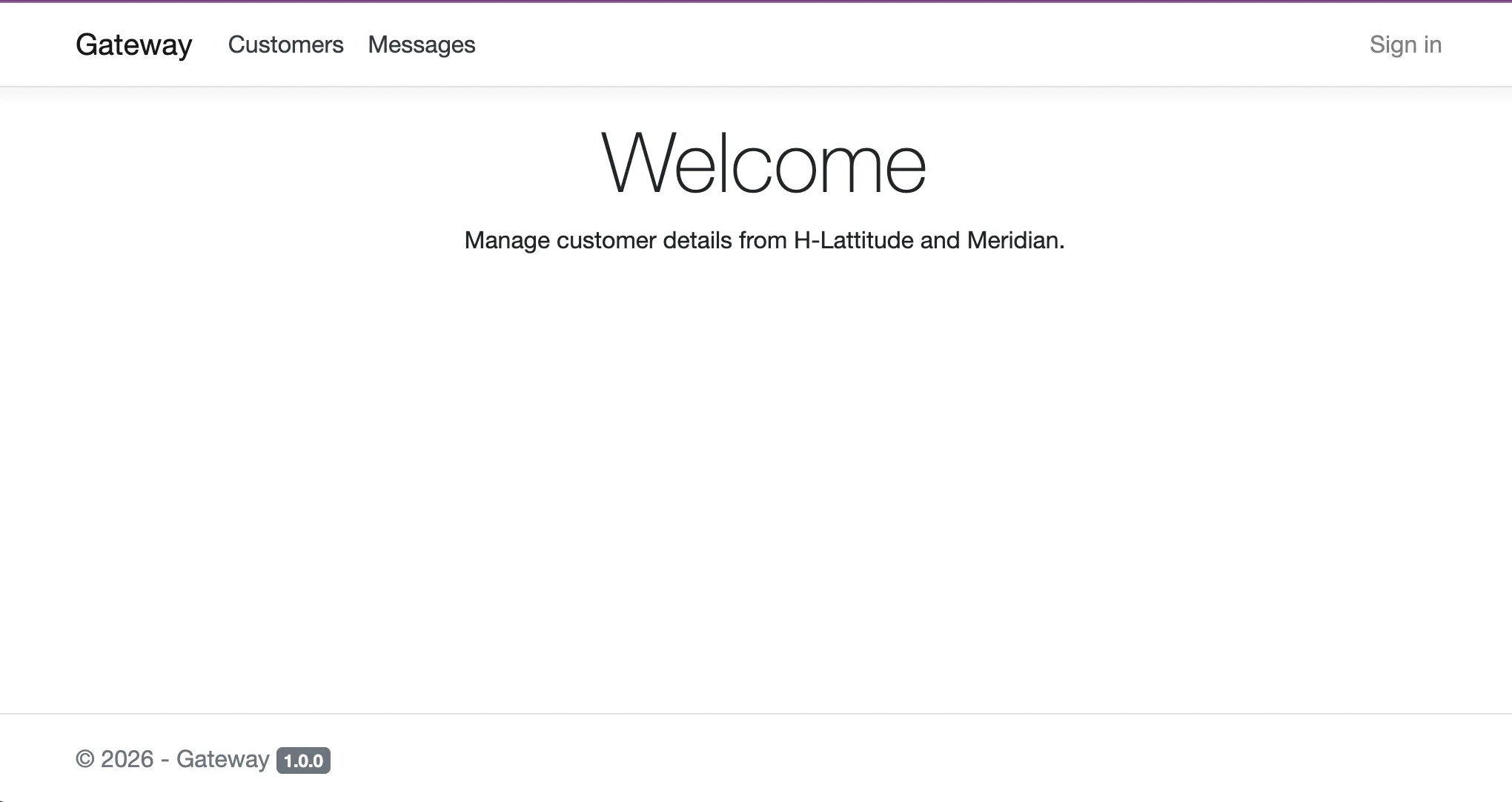
- A simple welcome/status page (MVC with Razor views)
- Static assets (CSS, images)
- API endpoints for message routing
- Everything in a single deployable unit
For a simple gateway with minimal UI, spinning up S3 buckets and API Gateway proxies felt like overkill. We wanted one Lambda function that serves both the API and the UI.
The Embedded Resources Pattern
The solution is to embed your static files and views directly into the .NET assembly. At runtime, the application reads these resources from the DLL itself.
Project Structure
Here’s how the project is organised:
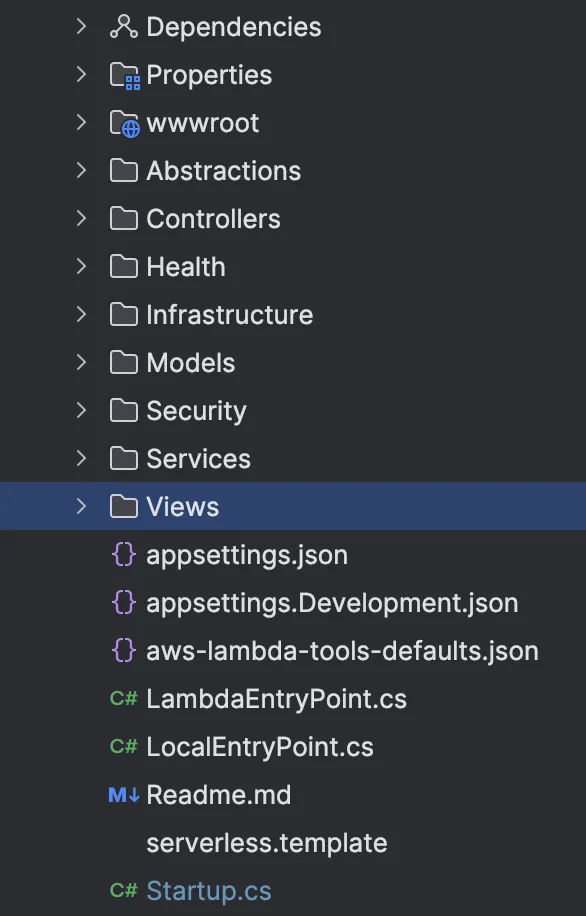
Gateway.Api/
├── Controllers/
│   └── GatewayController.cs
├── Views/
│   ├── Home/
│   │   └── Index.cshtml
│   └── Shared/
│       └── _Layout.cshtml
├── wwwroot/
│   ├── css/
│   │   └── site.css
│   └── images/
│       └── logo.png
├── LambdaEntryPoint.cs
└── Gateway.Api.csproj
The Key: EmbeddedFileProvider
The magic happens in Startup.cs. Instead of serving files from disk (which doesn’t exist in Lambda), we use EmbeddedFileProvider:
public void ConfigureServices(IServiceCollection services)
{
    var embeddedProvider = new EmbeddedFileProvider(
        typeof(Startup).Assembly,
        "Gateway.Api.wwwroot"
    );

    services.AddControllersWithViews()
        .AddRazorRuntimeCompilation(options =>
        {
            // For views, we need a composite provider
            options.FileProviders.Clear();
            options.FileProviders.Add(new EmbeddedFileProvider(
                typeof(Startup).Assembly,
                "Gateway.Api"
            ));
        });

    services.AddSingleton<IFileProvider>(embeddedProvider);
}

public void Configure(IApplicationBuilder app, IWebHostEnvironment env)
{
    var embeddedProvider = app.ApplicationServices
        .GetRequiredService<IFileProvider>();

    app.UseStaticFiles(new StaticFileOptions
    {
        FileProvider = embeddedProvider,
        RequestPath = ""
    });

    app.UseRouting();

    app.UseEndpoints(endpoints =>
    {
        endpoints.MapControllerRoute(
            name: "default",
            pattern: "{controller=Home}/{action=Index}/{id?}");
    });
}
The .csproj Configuration
The project file needs to embed the resources at build time:
<Project Sdk="Microsoft.NET.Sdk.Web">
  <PropertyGroup>
    <TargetFramework>net8.0</TargetFramework>
    <GenerateEmbeddedFilesManifest>true</GenerateEmbeddedFilesManifest>
  </PropertyGroup>

  <ItemGroup>
    <!-- Embed all static files -->
    <EmbeddedResource Include="wwwroot\**\*" />

    <!-- Embed all Razor views -->
    <EmbeddedResource Include="Views\**\*.cshtml" />
  </ItemGroup>

  <ItemGroup>
    <PackageReference Include="Microsoft.Extensions.FileProviders.Embedded"
                      Version="8.0.0" />
  </ItemGroup>
</Project>
The GenerateEmbeddedFilesManifest property creates a manifest file that allows the EmbeddedFileProvider to enumerate files - essential for things like directory listings in static file middleware.
The Lambda Entry Point
The Lambda entry point is identical to a standard ASP.NET Core Lambda:
public class LambdaEntryPoint : APIGatewayHttpApiV2ProxyFunction
{
    protected override void Init(IHostBuilder builder)
    {
        builder.ConfigureWebHostDefaults(webBuilder =>
        {
            webBuilder.UseStartup<Startup>();
        });
    }
}
That’s it. No special configuration needed for embedded resources - it just works because the files are part of the assembly.
Why Not Just Use S3?
For simple façades and internal tools, embedding resources has advantages:
| Aspect | Embedded Resources | S3 + API Gateway Proxy |
|---|---|---|
| Deployment | Single ZIP upload | Two deployments (Lambda + S3 sync) |
| Versioning | Atomic with code | Must coordinate versions |
| Static File Speed | Slower (served via Lambda) | Faster (S3 optimised for this) |
| Cost | Lambda only | Lambda + S3 + API Gateway |
| Complexity | One project | Terraform for S3, IAM, API Gateway |
For a high-traffic public application, S3 is still the better choice - it’s designed for static content delivery. But for internal tools, gateways, and admin interfaces with modest traffic, embedded resources are simpler.
Handling Razor Views
Razor views require slightly different handling. They need to be found by the Razor view engine at runtime:
services.AddControllersWithViews()
    .AddRazorRuntimeCompilation(options =>
    {
        options.FileProviders.Clear();
        options.FileProviders.Add(new EmbeddedFileProvider(
            typeof(Startup).Assembly,
            "Gateway.Api"  // Root namespace
        ));
    });
The namespace path must match your project structure. If your view is at Views/Home/Index.cshtml, the embedded resource path is {RootNamespace}.Views.Home.Index.cshtml.
Precompiled vs Runtime Compilation
For Lambda, I recommend precompiled views (the default in Release builds). They’re faster and don’t require the runtime compilation package:
<PropertyGroup>
  <RazorCompileOnBuild>true</RazorCompileOnBuild>
  <RazorCompileOnPublish>true</RazorCompileOnPublish>
</PropertyGroup>
With precompiled views, you only need to embed the static files (wwwroot), not the .cshtml files.
Terraform Configuration
The Lambda function configuration is straightforward:
resource "aws_lambda_function" "gateway" {
  function_name    = "gateway"
  filename         = "gateway.zip"
  source_code_hash = filebase64sha256("gateway.zip")
  handler          = "Gateway.Api::Gateway.Api.LambdaEntryPoint::FunctionHandlerAsync"
  runtime          = "dotnet8"
  memory_size      = 2048  # Higher memory = faster cold starts for .NET
  timeout          = 30
  role             = aws_iam_role.lambda.arn
}

resource "aws_apigatewayv2_api" "gateway" {
  name          = "gateway-api"
  protocol_type = "HTTP"
}

resource "aws_apigatewayv2_integration" "gateway" {
  api_id             = aws_apigatewayv2_api.gateway.id
  integration_type   = "AWS_PROXY"
  integration_uri    = aws_lambda_function.gateway.invoke_arn
  payload_format_version = "2.0"
}

resource "aws_apigatewayv2_route" "default" {
  api_id    = aws_apigatewayv2_api.gateway.id
  route_key = "$default"
  target    = "integrations/${aws_apigatewayv2_integration.gateway.id}"
}
Performance Considerations
Cold Starts and Memory
Let’s be clear: embedded resources are slower than S3 for static content delivery. S3 is purpose-built for serving files at scale. What we trade is raw performance for deployment simplicity.
Here’s the thing about ASP.NET Core on Lambda: cold starts improve significantly with more memory. The sweet spot is 2GB minimum, 4GB for best results - even if your application only needs 512MB at runtime. Lambda allocates CPU proportionally to memory, so higher memory used to mean faster .NET JIT compilation during cold starts. Today, with .NET 8’s you can now use SnapStart.
The good news? At 2-4GB, the 5-20MB overhead from embedded static files becomes negligible. You’re already allocating that memory to optimise cold starts - the embedded resources ride along for free.
Caching
Add cache headers to your static files:
app.UseStaticFiles(new StaticFileOptions
{
    FileProvider = embeddedProvider,
    OnPrepareResponse = ctx =>
    {
        ctx.Context.Response.Headers.Append(
            "Cache-Control", "public, max-age=31536000");
    }
});
When to Use This Pattern
✅ Good for:
- Internal tools and admin dashboards
- Gateway/façade services with simple UI
- Microservices with embedded status pages
- Low-traffic applications
- Simplified deployment pipelines
❌ Not ideal for:
- High-traffic public websites
- Large static asset bundles (>50MB)
- Applications needing CDN distribution
- Frequently updated static content (requires full redeploy)
Conclusion
Running a full MVC application inside Lambda is not only possible but practical for the right use cases. By embedding your static files and views directly into the assembly, you get:
- Simpler deployments - One artifact, one Lambda
- Atomic versioning - Code and assets always in sync
- Reduced infrastructure - No S3 buckets to manage
- Lower costs - No separate static hosting charges
For Gateway, this pattern was perfect. It bridges legacy H-Latitude with the serverless Meridian platform, serving its welcome page and status endpoints from a single Lambda function, deployed with a single terraform apply.
Sometimes the simplest solution is the best one.
This is part of a series on AWS serverless architecture. See also: From $12,000 to $40: How Serverless Slashed Our AWS Hosting Costs