Why I Choose SQL Projects Over Entity Framework Migrations
Why I use SQL Server Data Tools projects for schema changes and keep Entity Framework Core for data access

I use Entity Framework Core for data access. I do not use it to deploy database schemas in systems where the database has to be reviewed, promoted through environments and operated for years.
For that job, I use SQL Server Data Tools (SSDT) SDK-style projects. The distinction matters because the application and the deployment pipeline should not need the same database permissions.
Why I avoid EF migrations
Entity Framework migrations are convenient during rapid development. Change the C# entities, run dotnet ef migrations add, and EF generates the migration files.
The trouble starts when that becomes the production deployment model. I have several objections:
- Developers can apply migrations locally without committing them, so environments drift.
- Complex constraints, indexes and other database objects are harder to express and review.
- Rolling back means managing another migration rather than restoring a known schema state.
- Existing databases often predate the application and do not fit a code-first workflow.
- DBAs need SQL they can inspect, not C# migration files.
- It is harder to review exactly what will run in production.
None of these makes EF migrations useless. They make them the wrong choice for the way I want production schema changes controlled.
What a SQL project gives me
Microsoft’s SQL Server Data Tools SDK-style projects put the database definition in its own buildable project.
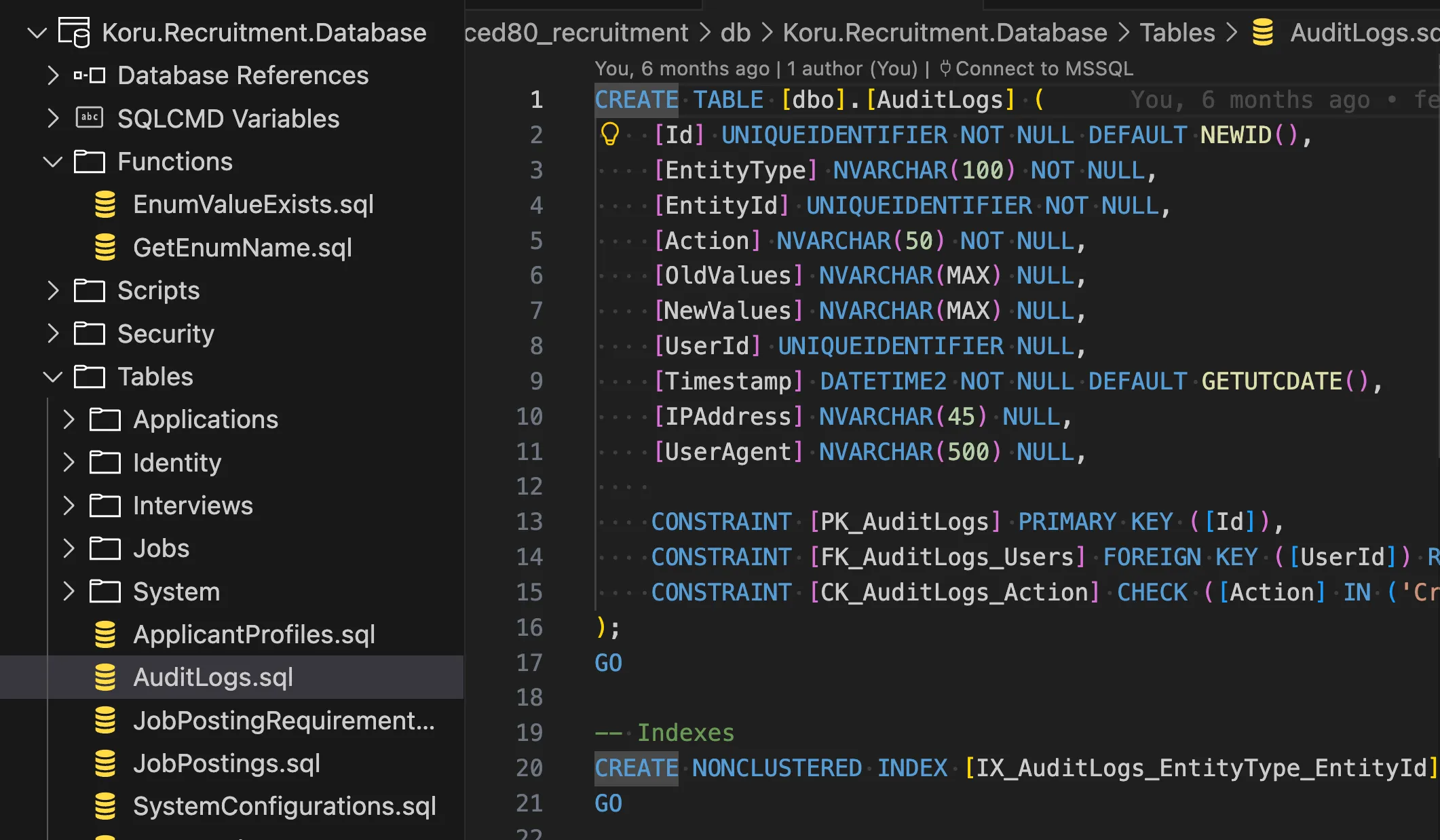 A SQL project with its tables, functions and scripts in source control
A SQL project (.sqlproj):
- Contains the database schema as
.sqlfiles - Compiles to a dacpac (Data-tier Application Package)
- Supports deployment by comparing that model with a target database
- Builds and publishes through Azure DevOps like the other projects in the solution
The project file is small:
<Project DefaultTargets="Build" ToolsVersion="4.0">
  <Sdk Name="Microsoft.Build.Sql" Version="1.0.0" />
  <PropertyGroup>
    <Name>Koru.Recruitment.Database</Name>
    <DSP>Microsoft.Data.Tools.Schema.Sql.SqlAzureV12DatabaseSchemaProvider</DSP>
    <DefaultCollation>SQL_Latin1_General_CP1_CI_AS</DefaultCollation>
  </PropertyGroup>
</Project>
The schema is source code
Every table, view, stored procedure, function and constraint lives as a .sql file in the repository. A schema change goes through the same pull request and review process as an application change.
CREATE TABLE [dbo].[AuditLogs] (
    [Id] UNIQUEIDENTIFIER NOT NULL DEFAULT NEWID(),
    [EntityType] NVARCHAR(100) NOT NULL,
    [EntityId] UNIQUEIDENTIFIER NOT NULL,
    [Action] NVARCHAR(50) NOT NULL,
    [Timestamp] DATETIME2 NOT NULL DEFAULT GETUTCDATE(),

    CONSTRAINT [PK_AuditLogs] PRIMARY KEY ([Id]),
    CONSTRAINT [CK_AuditLogs_Action] CHECK ([Action] IN ('Created', 'Updated', 'Deleted'))
);
Deploying a dacpac
Building the project produces a .dacpac, which is a compiled representation of the schema. At deployment time, the tooling compares it with the target database and generates the required ALTER statements.
That covers the routine changes I would otherwise have to put into migration scripts:
- Adding new columns
- Modifying constraints
- Creating indexes
- Managing foreign keys
This does not mean publishing blindly. The generated deployment plan still needs review, particularly for destructive changes and data movement.
Dacpac and bacpac are different things
A dacpac contains the schema. A bacpac contains schema and data, which makes it useful for:
- Creating development environment snapshots
- Disaster recovery
- Data migration between environments
Pre-deployment and post-deployment scripts
SQL projects also support scripts that run before or after the schema deployment. I use post-deployment scripts for seed data and configuration that belong with the database release:
-- Script.PostDeployment.sql
:r .\Scripts\seed_workflow_stages.sql
:r .\Scripts\seed_system_configurations.sql
:r .\Scripts\seed_default_admin.sql
The security boundary
This is the part I care about most. If the application runs EF migrations, its SQL identity needs permission to ALTER tables, create indexes and drop constraints. The production application can restructure its own database. If the application is compromised, those permissions increase the damage that can be done.
With a SQL project, schema changes run from the CI/CD pipeline under dedicated deployment credentials. The application’s identity only needs SELECT, INSERT, UPDATE and DELETE for its normal work.
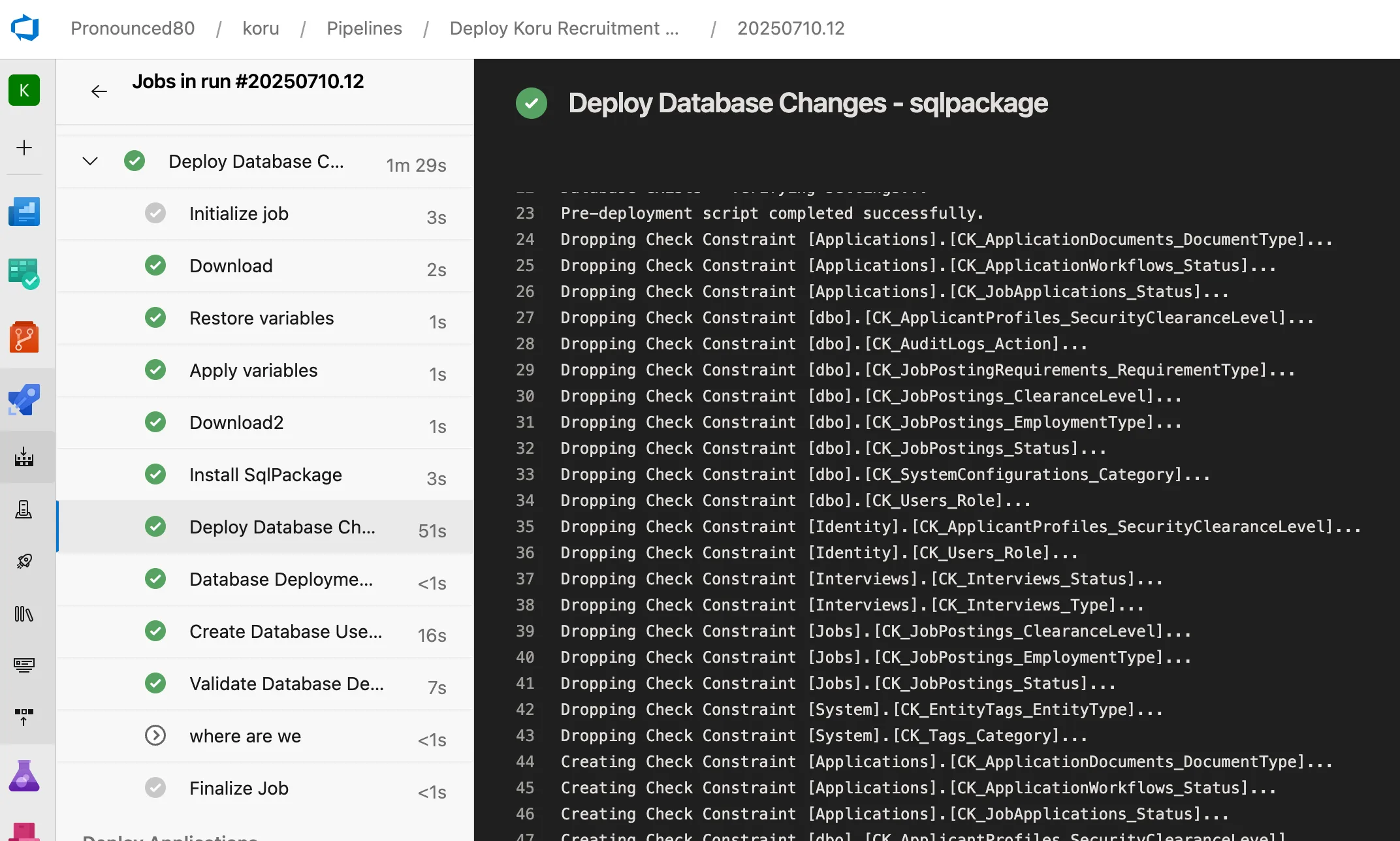 SqlPackage runs with elevated CI credentials, then the application runs with minimal permissions
That gives me a useful boundary: the pipeline can change the schema; the application cannot. Schema changes go through pipeline approvals and audit history, and a compromised application identity cannot drop tables.
Building it in Azure DevOps
The database project is a separate build job in Azure DevOps:
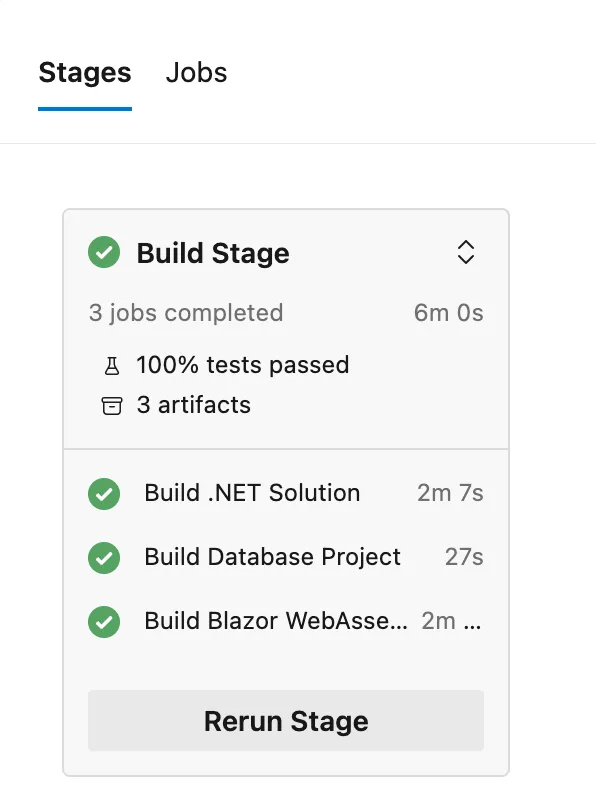 Parallel build jobs for the .NET solution, database project and Blazor WebAssembly client, all in 6 minutes
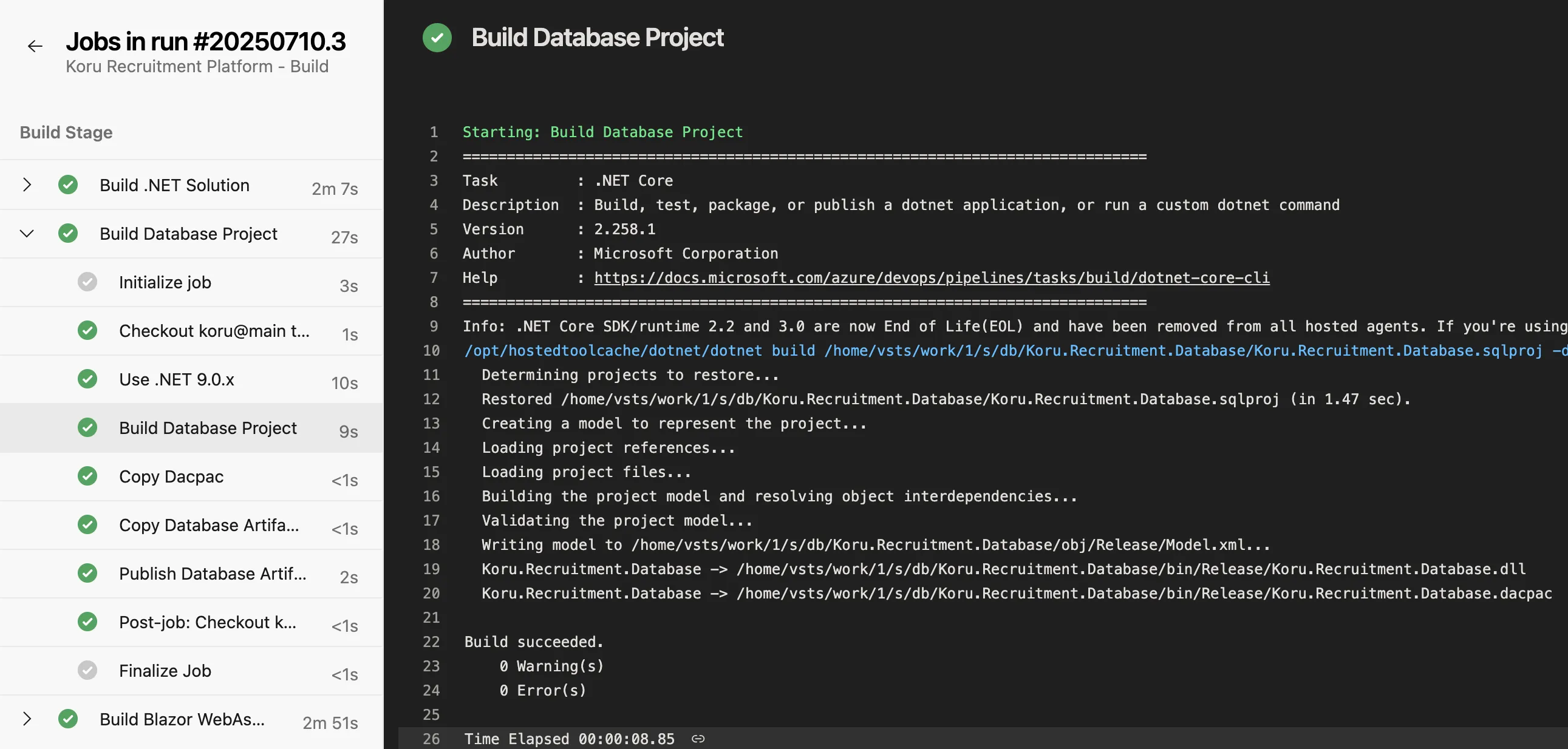 The database project builds to a dacpac in just 27 seconds
The job restores the SQL project, validates the schema model, produces the .dacpac and publishes it as a deployment artifact. That keeps database compilation separate while allowing it to run in parallel with the application and client builds.
I still use Entity Framework
This is not an argument against EF Core. I use SQL projects for schema management and EF Core for data access.
Scaffolding from the dacpac
EF Core Power Tools can scaffold a DbContext and entities directly from a dacpac. That gives me:
- Database-first development with SQL Projects
- Type-safe data access with EF Core
- No migration files cluttering your codebase
The workflow is straightforward: change the .sql schema files, build the SQL project, regenerate the entities with EF Core Power Tools, then deploy the dacpac. Microsoft’s official scaffolding documentation covers the standard database-first workflow.
Setting one up
You need:
- Visual Studio 2022 with SQL Server Data Tools, or
- VS Code with the SQL Database Projects extension
- .NET SDK
Create a project with:
dotnet new sqlproj -n MyDatabaseOr add the SDK reference to an existing project:
<Sdk Name="Microsoft.Build.Sql" Version="1.0.0" />Build and deploy it with:
# Build the dacpac
dotnet build

# Deploy using SqlPackage
sqlpackage /Action:Publish \
  /SourceFile:bin/Release/MyDatabase.dacpac \
  /TargetConnectionString:"Server=..."
Further reading
This video is a useful walkthrough of the SDK-style project:
SQL Server Data Tools SDK-style Projects
Where I draw the line
EF migrations have their place, particularly for prototypes and applications where the development team owns the whole database lifecycle. I choose SQL projects when schema changes need their own review, artifact, deployment identity and audit trail. That is the approach I used for the Koru Recruitment Platform.