Why I Choose SQL Projects Over Entity Framework Migrations
A deep dive into SQL Server Data Tools SDK-style projects, dacpacs, bacpacs, and why source-controlled database schemas are essential for enterprise software

When building enterprise software, one of the first architectural decisions is how to manage your database schema. Entity Framework Core offers migrations, but for production-grade systems, I consistently choose SQL Server Data Tools (SSDT) SDK-style projects. Here’s why.
The Problem with EF Migrations
Entity Framework Migrations are convenient for rapid development. You modify your C# entities, run dotnet ef migrations add, and EF generates migration files. Simple, right?
But in enterprise environments, this approach has significant drawbacks:
- Schema drift: Developers can apply migrations locally without committing, leading to inconsistent environments
- Limited SQL control: Complex constraints, indexes, and database objects are harder to express
- Rollback complexity: Rolling back requires careful migration management
- Database-first scenarios: Many enterprises have existing databases that predate the application
- DBA collaboration: Database administrators prefer working with SQL, not C# migration files
- Deployment auditing: It’s harder to review exactly what SQL will run in production
Enter SQL Projects SDK
Microsoft’s SQL Server Data Tools SDK-style projects provide a better approach for enterprise development.
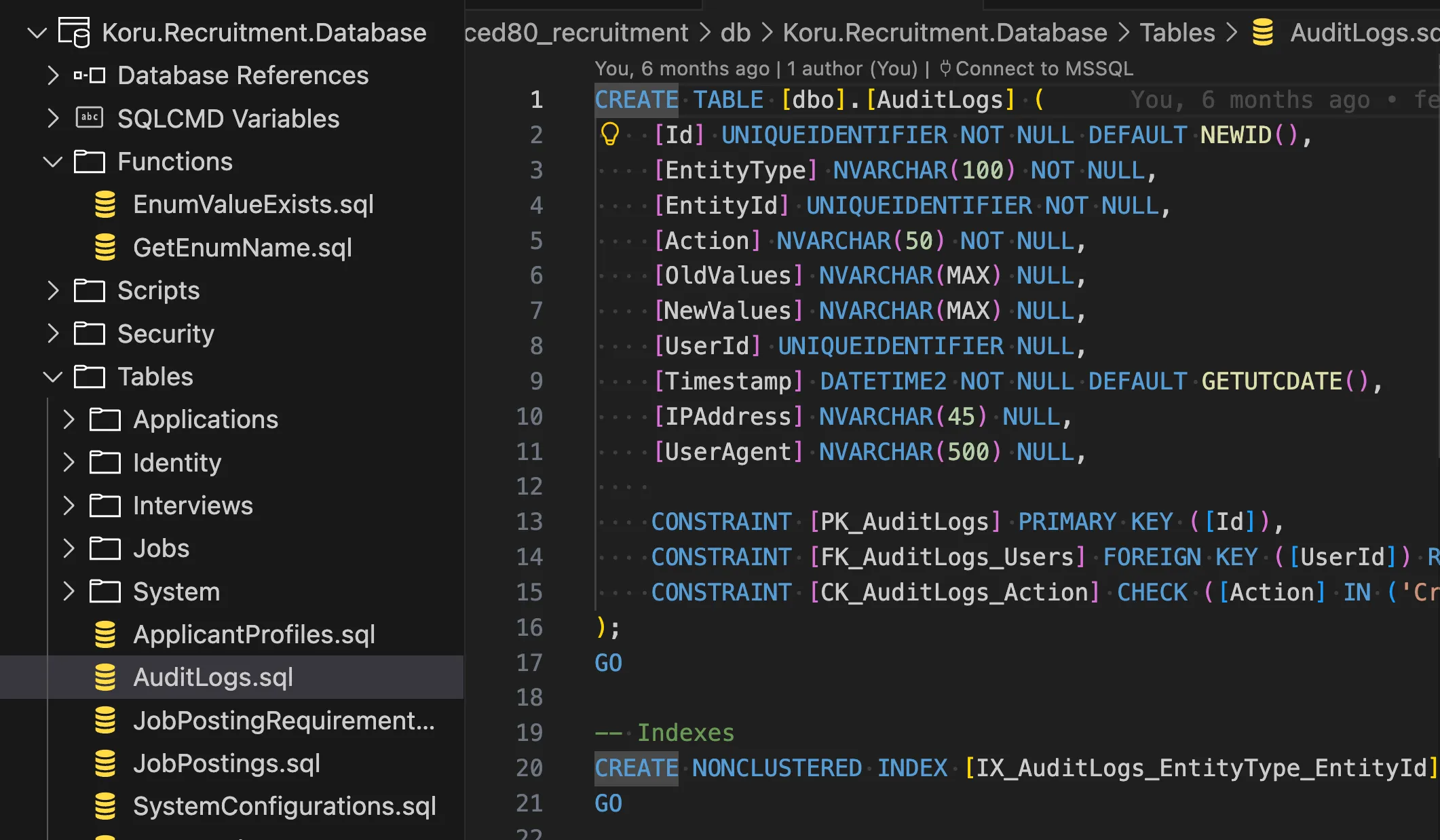 A SQL Project with organized tables, functions, and scripts — all source-controlled
What is a SQL Project?
A SQL Project (.sqlproj) is a project type that:
- Contains your entire database schema as
.sqlfiles - Compiles to a dacpac (Data-tier Application Package)
- Enables automated deployments with schema comparison
- Integrates with Azure DevOps pipelines seamlessly
Here’s what the project file looks like:
<Project DefaultTargets="Build" ToolsVersion="4.0">
  <Sdk Name="Microsoft.Build.Sql" Version="1.0.0" />
  <PropertyGroup>
    <Name>Koru.Recruitment.Database</Name>
    <DSP>Microsoft.Data.Tools.Schema.Sql.SqlAzureV12DatabaseSchemaProvider</DSP>
    <DefaultCollation>SQL_Latin1_General_CP1_CI_AS</DefaultCollation>
  </PropertyGroup>
</Project>
Benefits of SQL Projects
1. True Source Control for Your Schema
Every table, view, stored procedure, function, and constraint lives as a .sql file in your repository. Your database schema gets the same code review process as your application code.
CREATE TABLE [dbo].[AuditLogs] (
    [Id] UNIQUEIDENTIFIER NOT NULL DEFAULT NEWID(),
    [EntityType] NVARCHAR(100) NOT NULL,
    [EntityId] UNIQUEIDENTIFIER NOT NULL,
    [Action] NVARCHAR(50) NOT NULL,
    [Timestamp] DATETIME2 NOT NULL DEFAULT GETUTCDATE(),

    CONSTRAINT [PK_AuditLogs] PRIMARY KEY ([Id]),
    CONSTRAINT [CK_AuditLogs_Action] CHECK ([Action] IN ('Created', 'Updated', 'Deleted'))
);
2. Dacpac Deployments
When you build a SQL Project, it produces a .dacpac file — a compiled representation of your schema. Deployment tools compare the dacpac against the target database and generate only the necessary ALTER statements.
No more writing manual migration scripts. The tooling handles:
- Adding new columns
- Modifying constraints
- Creating indexes
- Managing foreign keys
3. Bacpac for Data + Schema
While dacpacs contain schema only, bacpacs include both schema and data. This is invaluable for:
- Creating development environment snapshots
- Disaster recovery
- Data migration between environments
4. Pre and Post Deployment Scripts
SQL Projects support scripts that run before or after schema deployment:
-- Script.PostDeployment.sql
:r .\Scripts\seed_workflow_stages.sql
:r .\Scripts\seed_system_configurations.sql
:r .\Scripts\seed_default_admin.sql
5. Proper Security Boundaries
This is a critical difference that’s often overlooked.
With EF Migrations, your application’s SQL user needs permissions to ALTER tables, CREATE indexes, and DROP constraints — at runtime. This means your production application has the keys to restructure its own database. If your application is compromised, so is your schema.
With SQL Projects, schema changes happen through your CI/CD pipeline using dedicated deployment credentials. Your application’s SQL user only needs SELECT, INSERT, UPDATE, DELETE — the minimum required for operations.
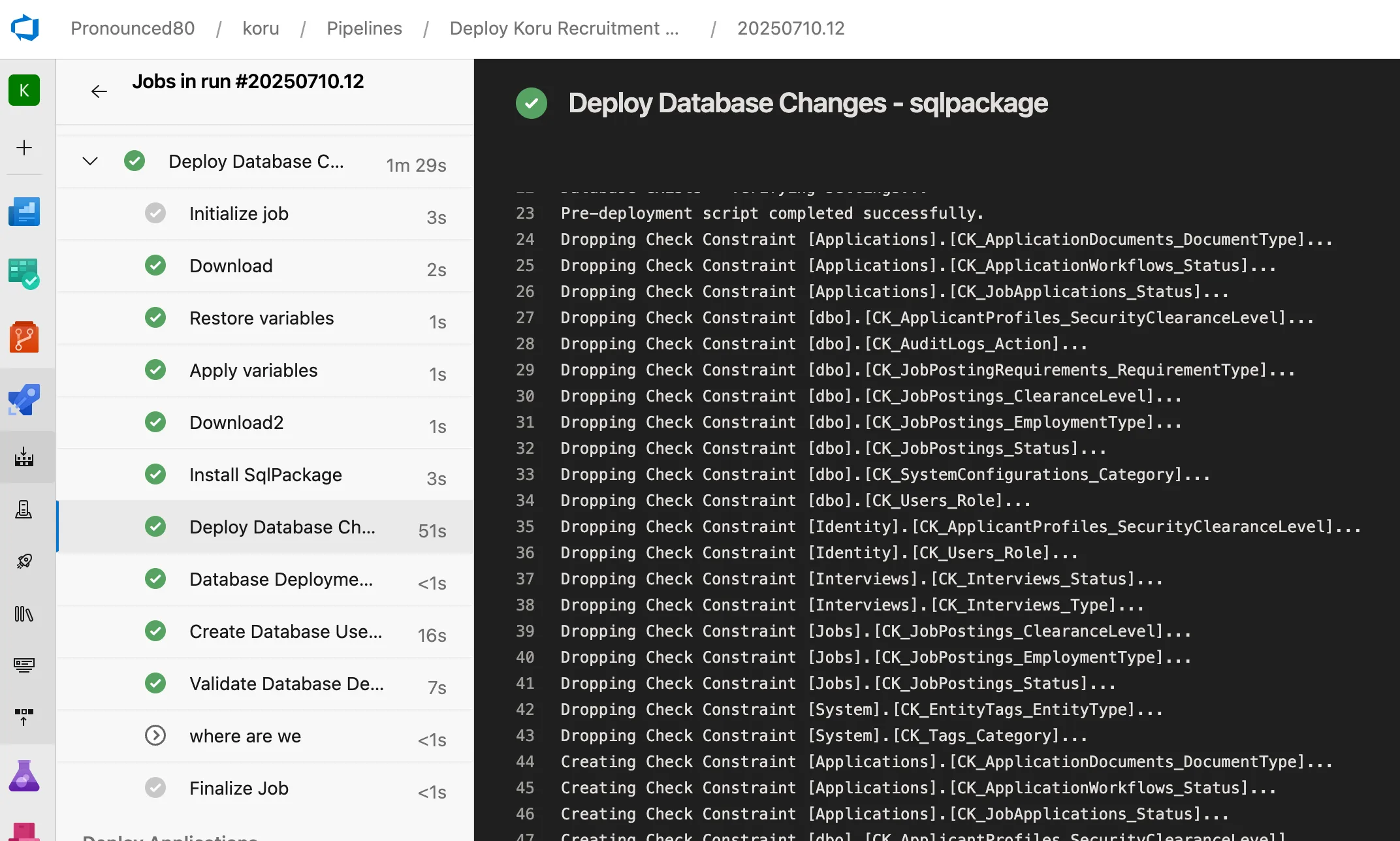 SqlPackage runs with elevated CI credentials, then the application runs with minimal permissions
This separation of concerns means:
- Principle of least privilege: Applications can’t accidentally (or maliciously) alter schema
- Audit trail: All schema changes go through your pipeline with approvals
- Blast radius: A compromised application can’t DROP tables
6. CI/CD Integration
SQL Projects integrate beautifully with Azure DevOps:
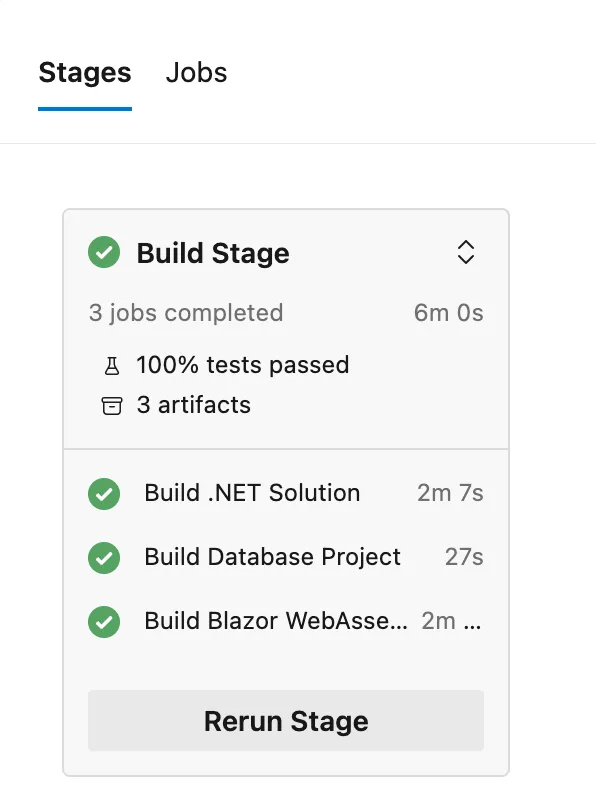 Parallel build jobs: .NET Solution, Database Project, and Blazor WebAssembly — all in 6 minutes
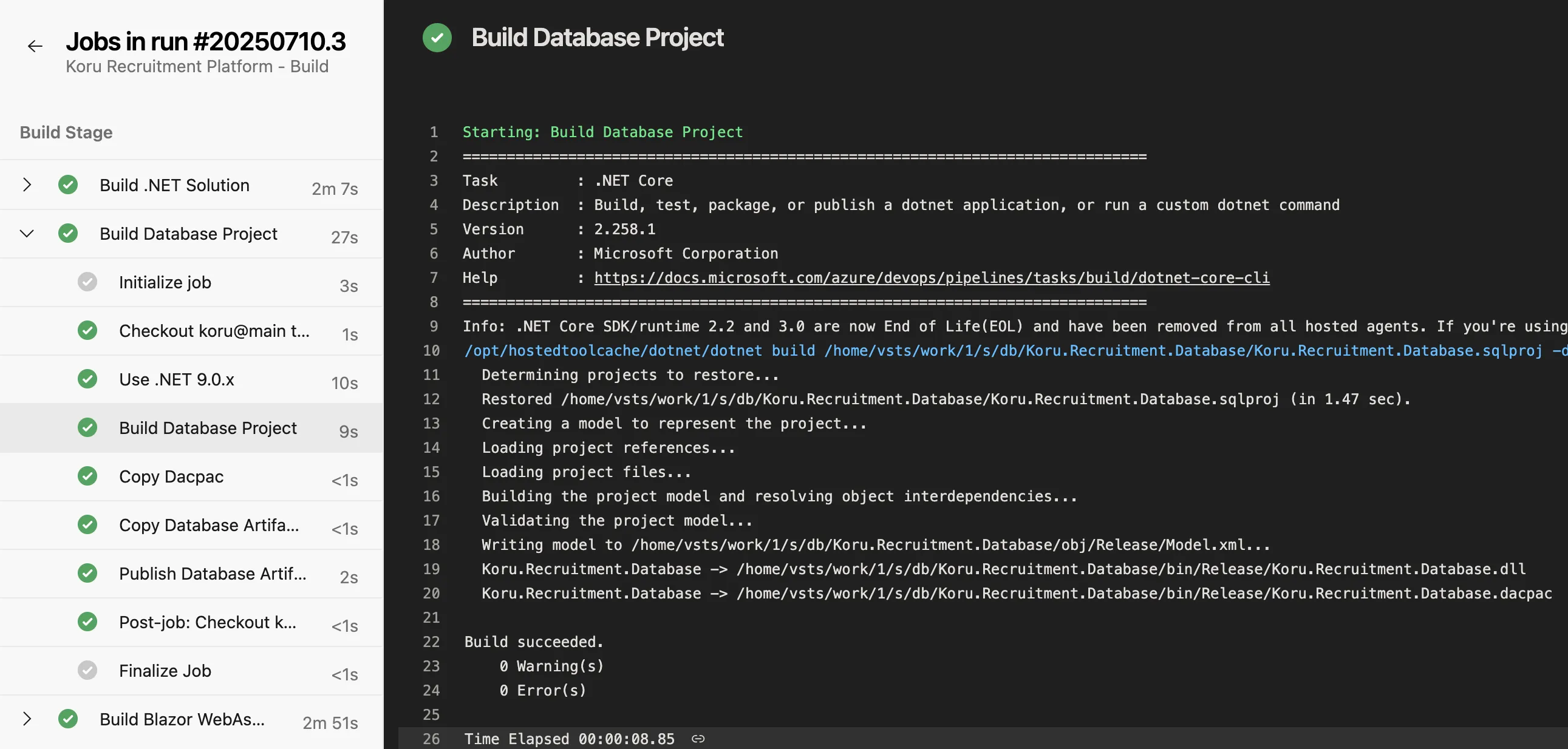 The database project builds to a dacpac in just 27 seconds
The build process:
- Restores the SQL project
- Validates the schema model
- Produces a
.dacpacartifact - Publishes for deployment
But What About Entity Framework?
You don’t have to choose one or the other. The best approach is SQL Projects for schema management with EF Core for data access.
Scaffolding from SQL Projects
EF Core Power Tools can scaffold your DbContext and entities directly from a dacpac file. This gives you:
- Database-first development with SQL Projects
- Type-safe data access with EF Core
- No migration files cluttering your codebase
The workflow becomes:
- Modify your
.sqlschema files - Build the SQL Project
- Run EF Core Power Tools to regenerate entities
- Deploy dacpac to your database
Microsoft’s official scaffolding documentation covers the standard approach, but EF Core Power Tools extends this to work directly with dacpacs.
Setting Up a SQL Project
Prerequisites
- Visual Studio 2022 with SQL Server Data Tools, or
- VS Code with the SQL Database Projects extension
- .NET SDK
Create the Project
dotnet new sqlproj -n MyDatabaseOr add the SDK reference to an existing project:
<Sdk Name="Microsoft.Build.Sql" Version="1.0.0" />Build and Deploy
# Build the dacpac
dotnet build

# Deploy using SqlPackage
sqlpackage /Action:Publish \
  /SourceFile:bin/Release/MyDatabase.dacpac \
  /TargetConnectionString:"Server=..."
Learn More
For a comprehensive walkthrough, I highly recommend this video tutorial:
📺 SQL Server Data Tools SDK-style Projects
Conclusion
For enterprise software, SQL Projects provide:
- Auditability: Every schema change is tracked in source control
- Reliability: Automated deployments reduce human error
- Collaboration: DBAs and developers work in the same codebase
- Flexibility: Complex SQL constructs are first-class citizens
- Speed: Parallel CI/CD builds with artifact caching
EF Migrations have their place for rapid prototyping, but when you’re building software that needs to run reliably for years, invest in proper database DevOps with SQL Projects.
This approach was used in building the Koru Recruitment Platform — a government recruitment system built with AI assistance.