Building a Recruitment Platform with AI: The Koru Story
How I used AI-assisted development to build a complete recruitment platform that can be used by organisations including Government departments, in record time - from architecture to Azure DevOps pipelines
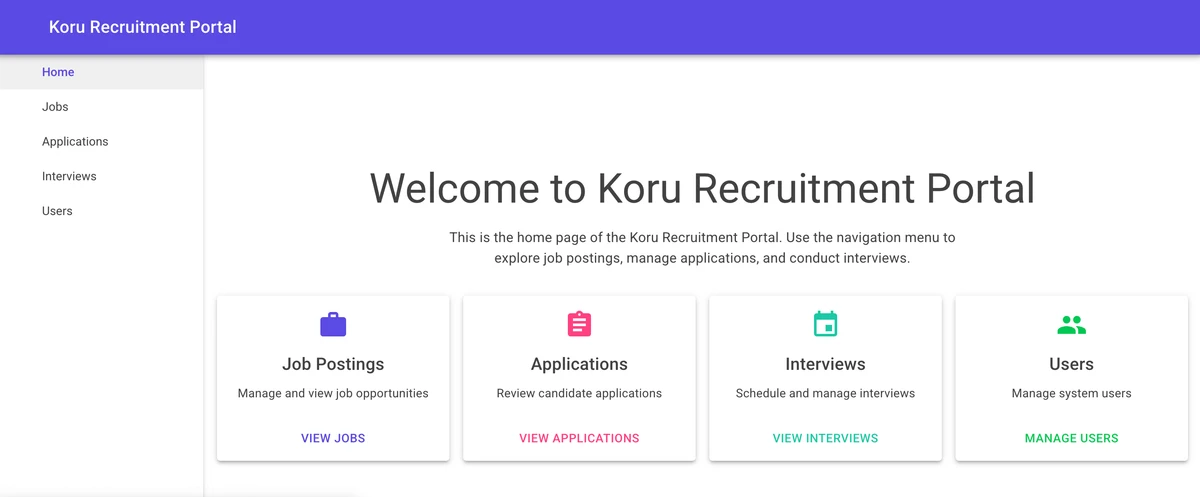
What happens when you combine modern AI assistance with decades of software engineering experience? You get a recruitment platform built in a fraction of the time, with enterprise-grade architecture, and comprehensive CI/CD pipelines. This is the story of Koru Recruitment.
Koru (pronounced “koh-roo”) is the Ijaw word for “wait” — a fitting name for a platform where applicants wait for opportunities, and hiring managers wait for the right candidates.
See it live: Koru Recruitment Platform
The Challenge
A government client approached me needing a modern recruitment platform. The requirements were clear:
- A public job portal accessible to residents, diaspora, and general applicants
- Complete application lifecycle management
- Role-based access (Admin, HR Staff, Applicants)
- Secure document management
- Email notifications
- Admin dashboard with real-time metrics
- Budget constraint: Monthly operating costs under $50 until it scales
The timeline? As fast as possible while maintaining quality.
Choosing the Stack
With the constraints in mind, I settled on a modern Azure-based architecture:
- Frontend: Blazor WebAssembly with MudBlazor components
- Backend: Azure Functions (serverless = cost-effective)
- Database: Azure SQL Database (Basic tier)
- Storage: Azure Blob Storage for documents
- Hosting: Azure Static Web Apps (free tier available!)
- Infrastructure as Code: Terraform
- CI/CD: Azure DevOps Pipelines
This stack provides enterprise-grade capabilities while keeping costs minimal. The serverless approach means you only pay for what you use.
Enter GitHub Copilot
This is where things got interesting. Instead of the traditional approach of writing every line of code manually, I paired with GitHub Copilot to accelerate development dramatically.
The Prompt-Driven Approach
My process starts with a simple “meta-prompt” — a prompt that generates other prompts. Something like:
I want you to create a recruitment platform for a government client.
First, create a master prompt that defines the overall architecture.
Then, generate chapter prompts for each major component:
- Database schema design
- API layer implementation
- Frontend components
- CI/CD pipelines
- Infrastructure as Code
Why this approach works:
- Structured thinking: Breaking a large project into chapters forces you to think through dependencies and order of operations
- Reusable templates: Each chapter prompt becomes a reusable template for similar projects
- Consistent quality: The master prompt establishes patterns that all chapters follow
- Iterative refinement: You can refine individual chapters without restarting from scratch
- Documentation as a byproduct: The prompts themselves serve as project documentation
This hierarchical prompting approach meant I could hand off context between sessions seamlessly. The AI always knew what we were building and why.
Architecture in Minutes
Within minutes of feeding the master prompt, I had:
- A complete Clean Architecture structure
- Domain models for all entities
- Repository interfaces
- Service layer abstractions
The AI understood the patterns I was aiming for and generated code that followed best practices without me having to explicitly state every principle.
Database Design
The database schema emerged naturally through conversation:
├── Users                    # User accounts and authentication
├── ApplicantProfiles        # Detailed applicant information
├── JobPostings             # Job posting management
├── Applications            # Application tracking
├── Interviews              # Interview scheduling
├── ApplicationDocuments    # Document management
├── ApplicationWorkflows    # Workflow tracking
├── WorkflowStages          # Workflow configuration
└── AuditLogs               # Complete audit trail
Instead of drawing ERDs and then translating to SQL, I described the domain and the AI helped generate the conceptual model.
A Word on Schema Management
Here’s where I pushed back on the AI’s suggestions. GitHub Copilot initially generated Entity Framework migrations for schema management — a pattern I’ve learned to avoid for enterprise software.
The problem with EF Migrations:
- Schema drift between environments
- Limited control over complex SQL constructs
- Difficult collaboration with DBAs
- Hard to audit what actually runs in production
Instead, I used SQL Server Data Tools SDK-style projects — a proper database-as-code approach where every table, constraint, and index is a source-controlled .sql file.
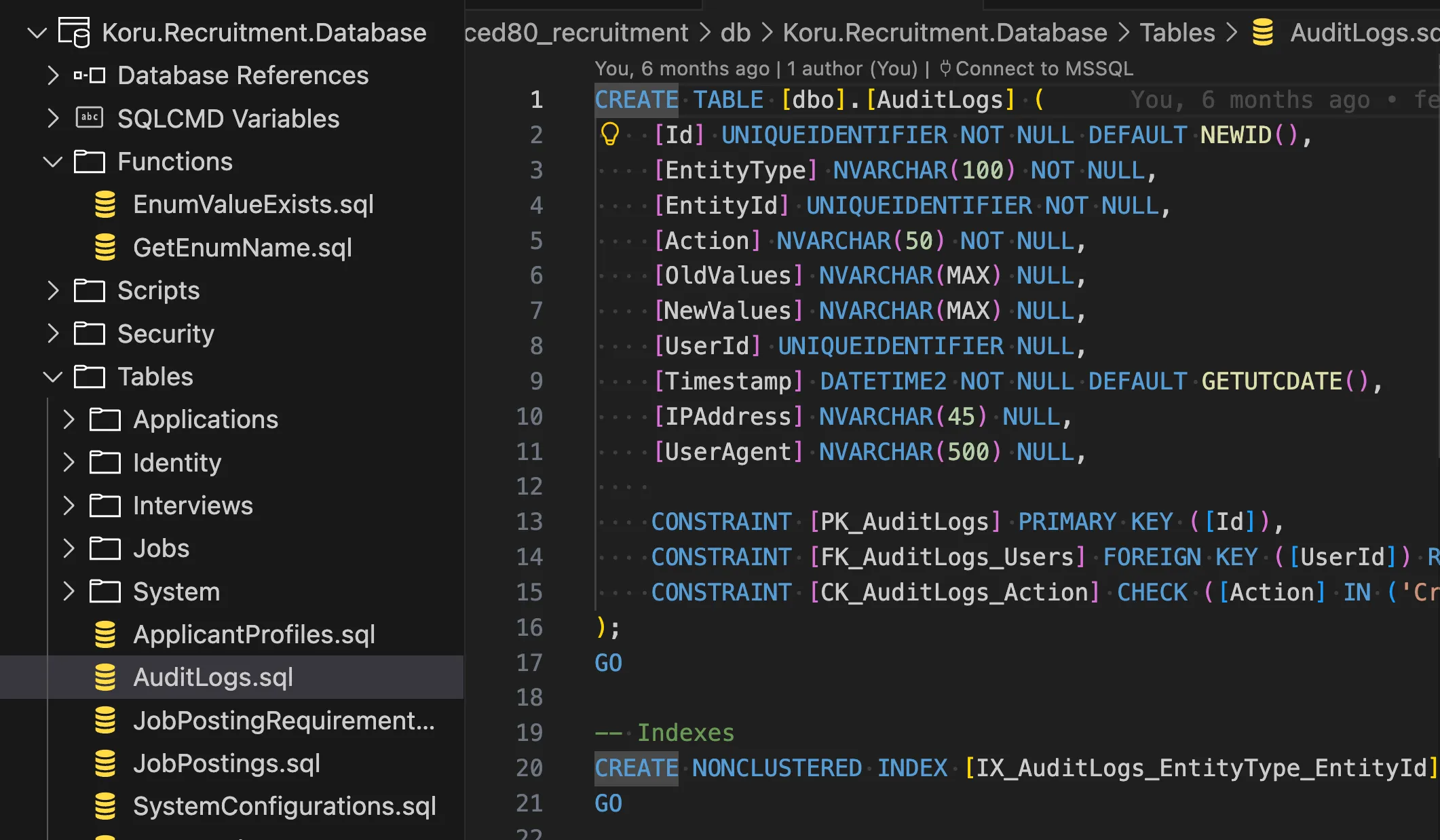 The database schema as organized SQL files — fully source-controlled
The result? Clean deployments via dacpac files, automated schema comparison, and a database that DBAs can actually review.
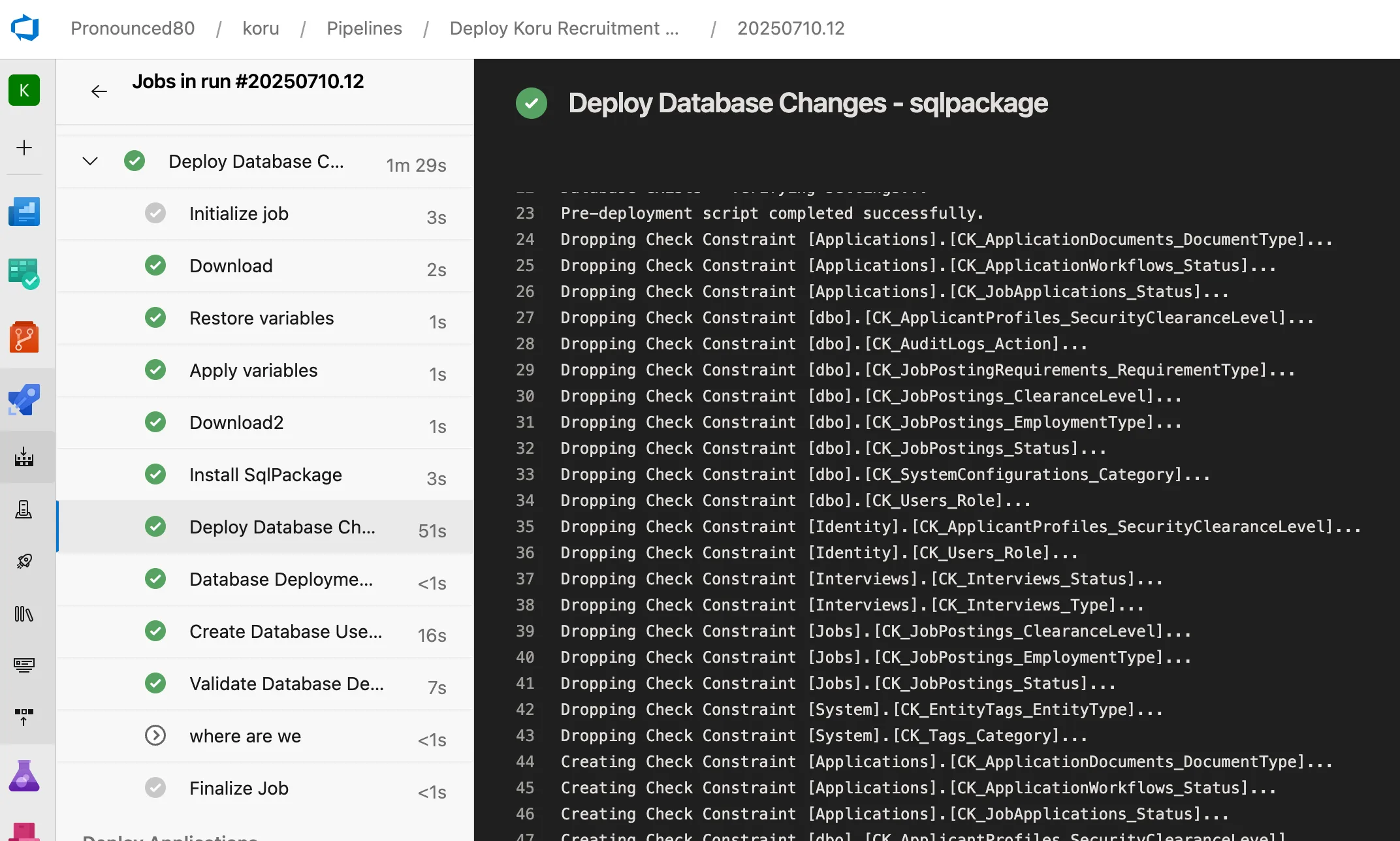 Automated schema deployment — dropping and creating constraints with precision
Read more: Why I Choose SQL Projects Over Entity Framework Migrations
The Azure DevOps Pipelines
This is where AI assistance really shined. Creating production-grade Azure DevOps pipelines typically takes days of careful configuration. With AI assistance, I had:
Build Pipeline Features:
- Multi-stage builds (dotnet, database, client)
- Parallel execution where possible
- Artifact publishing
- Test execution with coverage reports
Deployment Pipeline Features:
- Template-based architecture for reusability
- Environment-specific variable management
- Terraform integration with state management
- Automatic backend storage creation
- Health checks and validation at each stage
- CAF-compliant resource naming
The pipeline follows this flow:
Build → Dev → Prod
         ↓
    [Infra] → [Database] → [Application] → [Validation]
Infrastructure as Code
Terraform configurations were generated with proper:
- Azure CAF naming conventions
- Environment separation
- State management with Azure Storage backend
- Secure handling of sensitive variables via Key Vault
What I Learned
AI Accelerates, But Doesn’t Replace Expertise
The AI could generate code quickly, but it needed guidance. Understanding Clean Architecture, SOLID principles, and Azure best practices allowed me to steer the AI toward optimal solutions. Without that foundation, I’d have accepted suboptimal patterns.
Iteration is Key
The first generated code was rarely perfect. The real power came from iterating:
- Generate initial code
- Review and identify issues
- Provide specific feedback
- Refine until correct
This mirrors traditional development, just at 10x speed.
Documentation Comes Free
One unexpected benefit: the AI naturally documented the code as it went. Comments explaining complex logic, README files for each component, and even this blog post were all assisted by AI.
The Human Touch Matters
There were moments where the AI’s suggestions were technically correct but didn’t fit our specific context. Government clients have unique requirements around data sovereignty, accessibility, and compliance that required human judgment to address properly.
The Finished Product
The result is a complete, production-ready recruitment platform. Here’s what we built:
Job Postings Management
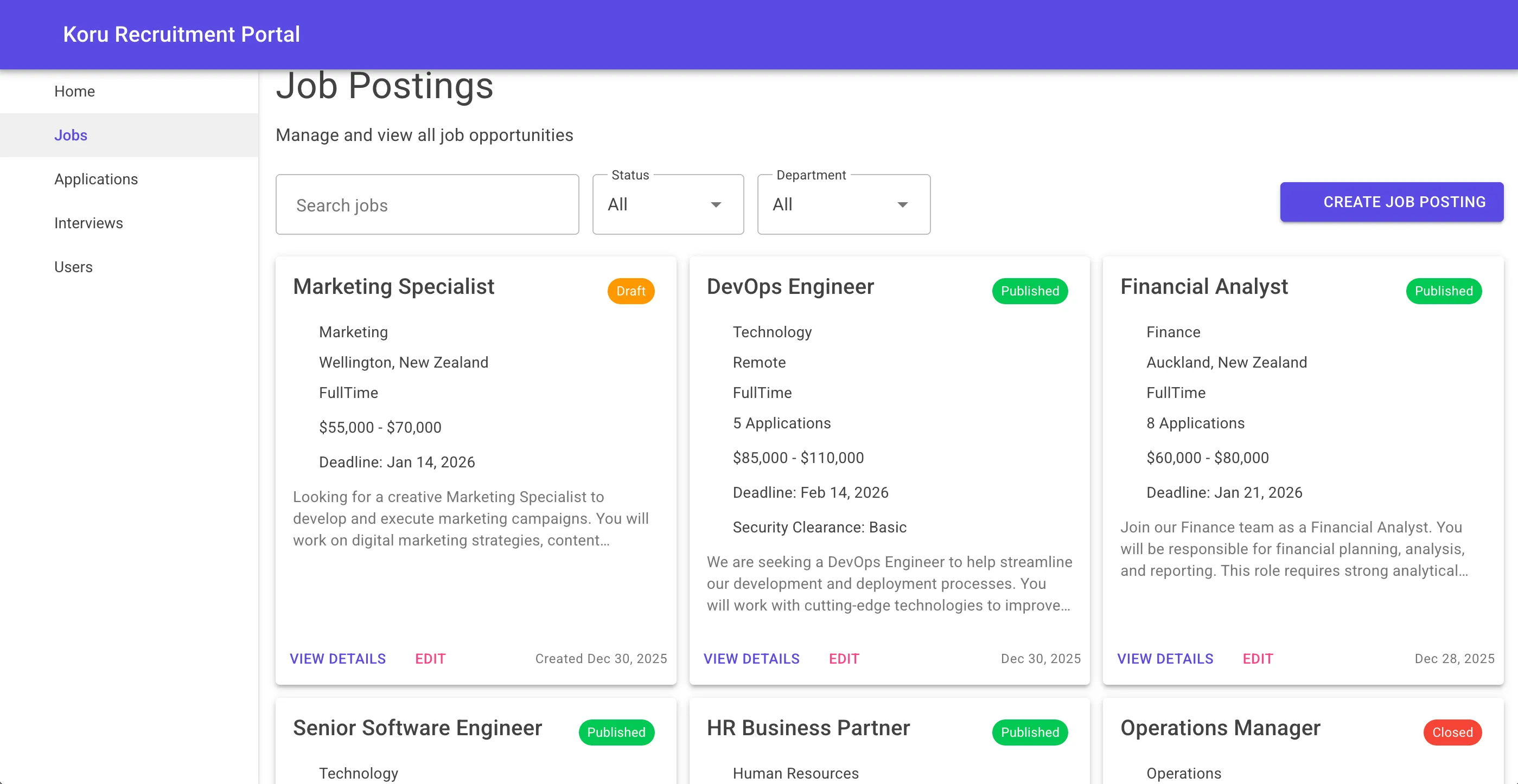 HR managers can create, filter, and manage job postings with full status tracking
Application Tracking
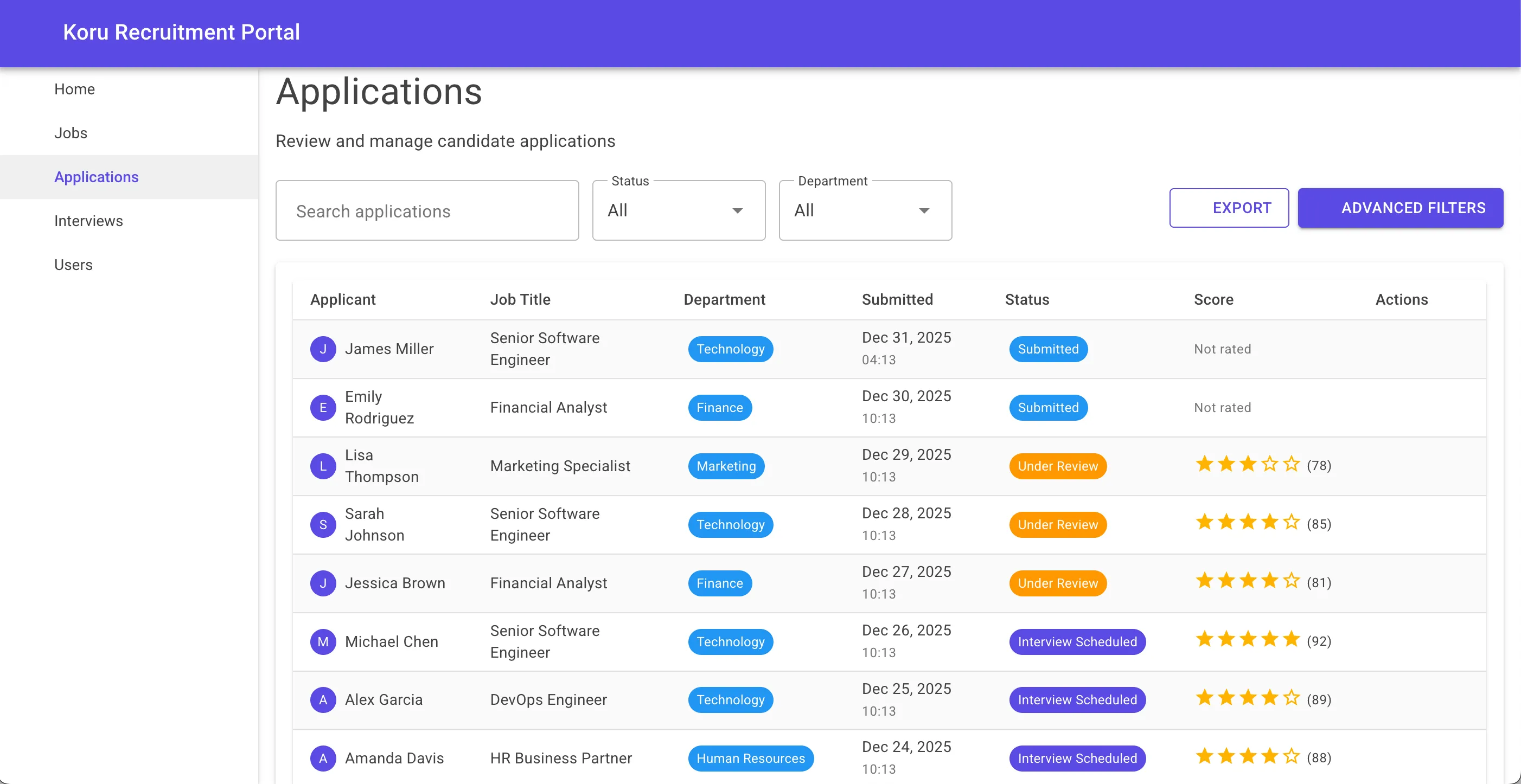 Complete application lifecycle with scoring, status updates, and advanced filtering
Interview Scheduling
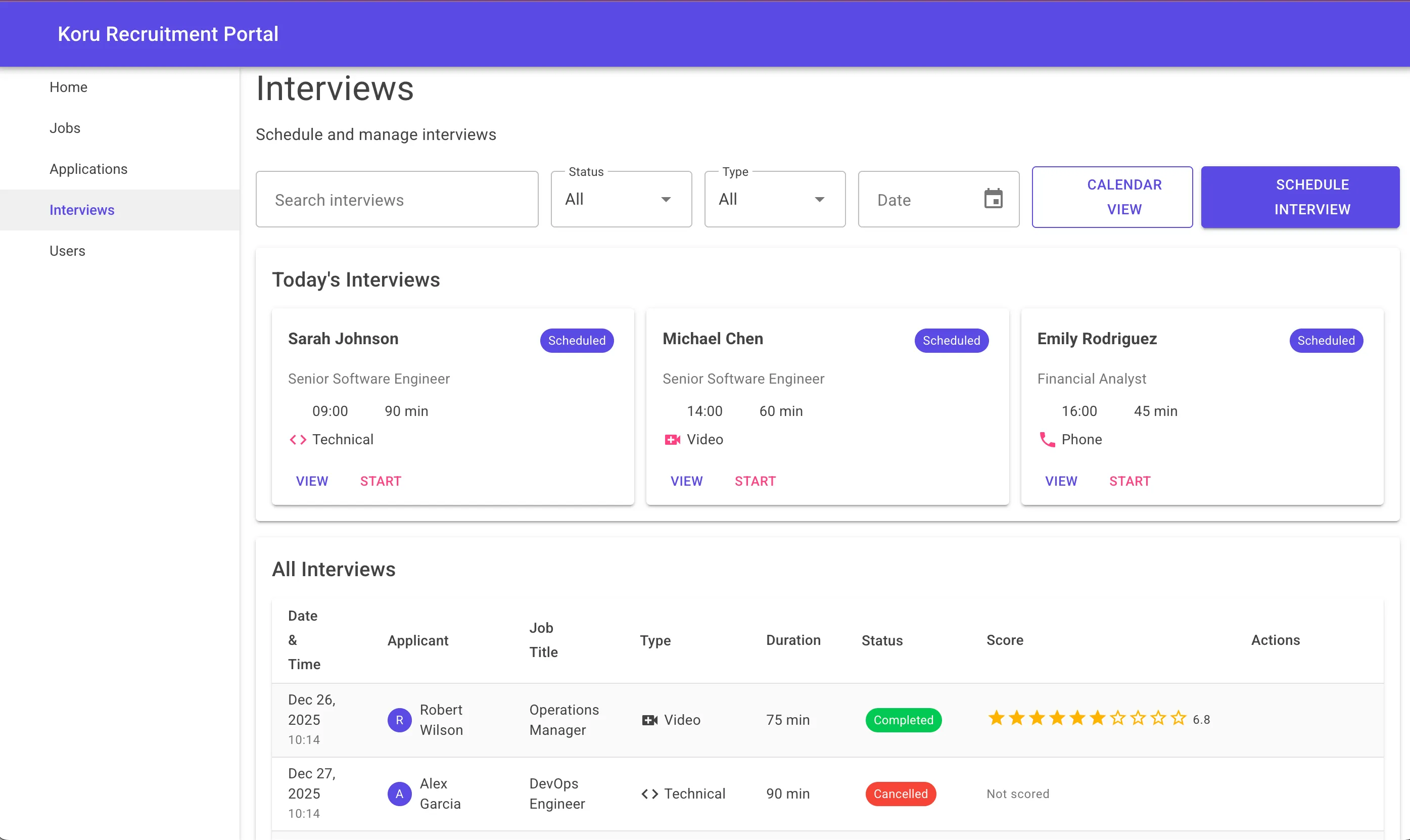 Today’s interviews at a glance, with support for video, phone, and in-person formats
Each page was generated following the same patterns established in the master prompt, ensuring consistency across the entire application.
The Migration Story
During development, I went through several naming iterations before settling on “Koru”. The project involved migrating from an earlier naming convention to the final Koru.Recruitment namespace. This is typically tedious work:
- Rename projects
- Update namespaces
- Fix all references
- Update configuration files
- Modify pipelines
With AI assistance, this multi-hour task became a systematic process where the AI generated migration scripts and identified all affected files.
Cost Analysis
Running in production:
| Component | Monthly Cost |
|---|---|
| Azure Static Web Apps | Free |
| Azure Functions (Consumption) | ~$5 |
| Azure SQL (Basic) | ~$5 |
| Azure Blob Storage | ~$1 |
| Azure Key Vault | ~$1 |
| Total | ~$12/month |
Well under the $50 budget, with room to scale.
Key Takeaways
- AI is a force multiplier: Not a replacement for skill, but an accelerator for those who have it
- Architecture still matters: AI generates code faster, but bad architecture is still bad architecture
- Infrastructure as Code is essential: AI can generate Terraform just as well as application code
- CI/CD pipelines benefit greatly: Template generation and complex YAML structures are natural for AI
- Documentation improves: When AI assists, documentation often comes as a byproduct
The CI/CD in Action
Here’s what the Azure DevOps pipelines look like in practice:
 Six-stage deployment: Validate → Infrastructure → Database → Applications → Post-Deployment → Notifications
The deployment pipeline completed in under 20 minutes, with full Terraform infrastructure provisioning, database schema deployment, and application deployment to Azure Static Web Apps.
What’s Next
The platform is now deployed and ready for production use. Future enhancements include:
- Video interviewing integration
- Advanced analytics dashboard
- Mobile application
- Multi-language support
Each of these will benefit from the same AI-assisted approach, building on the solid foundation we’ve established.
Try it yourself: Koru Recruitment Platform
Want to see the code? The architecture patterns and pipeline templates are available as examples for your own projects. The key is combining modern tooling with solid engineering fundamentals.
Building something similar? I’d love to hear about your experience with AI-assisted development. Drop me a line.